
.png)
.png)
.png)
Please review the following instructions for how to access your CE credits before proceeding using the link at the bottom of this page.
Log in using your email address and registrant ID.
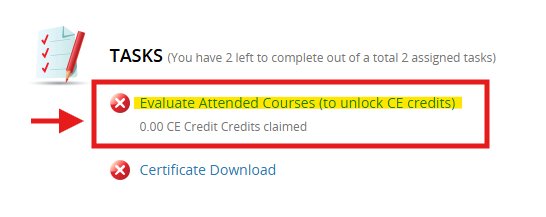
Under “Tasks” click the words “Evaluate Attended Courses (to unlock CE credits)”
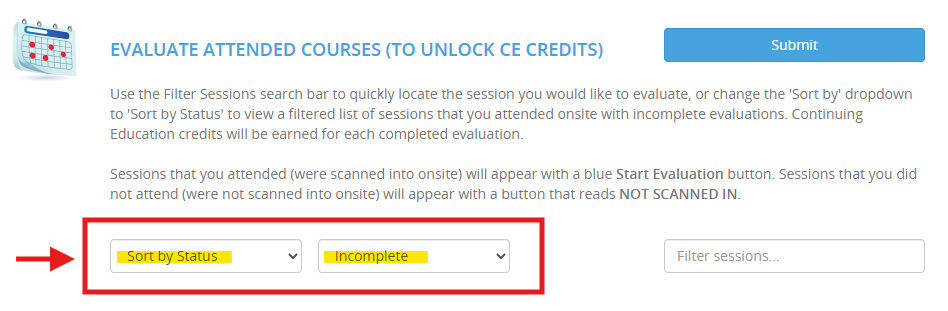
Use the filter drop-down bars to select “Sort by Status” and “Incomplete” to view the sessions you attended onsite with incomplete evaluations.
Click the blue “Start Evaluation” button next to each session you attended to complete required evaluations.
If this button does not appear for a session you attended, you were not scanned in. Please visit the Attendee Help & Services desk, or email pndc@shworldwide.com after PNDC if you need a session added.

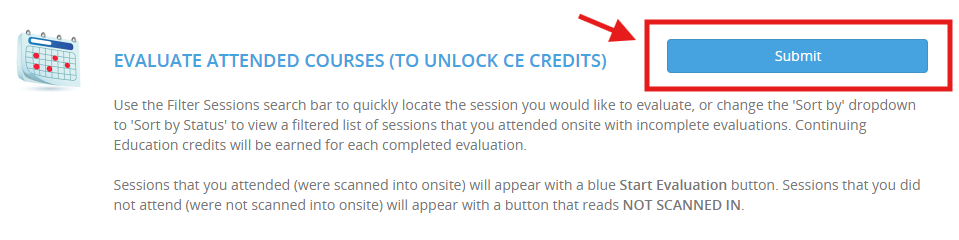
Once you have evaluated all the sessions that you scanned into, click the blue “Submit” button in the upper-right corner of the Evaluate Attended Courses page.
After hitting Submit, return to the Home page (if you aren’t redirected automatically, click “Home” in the upper left of your screen).
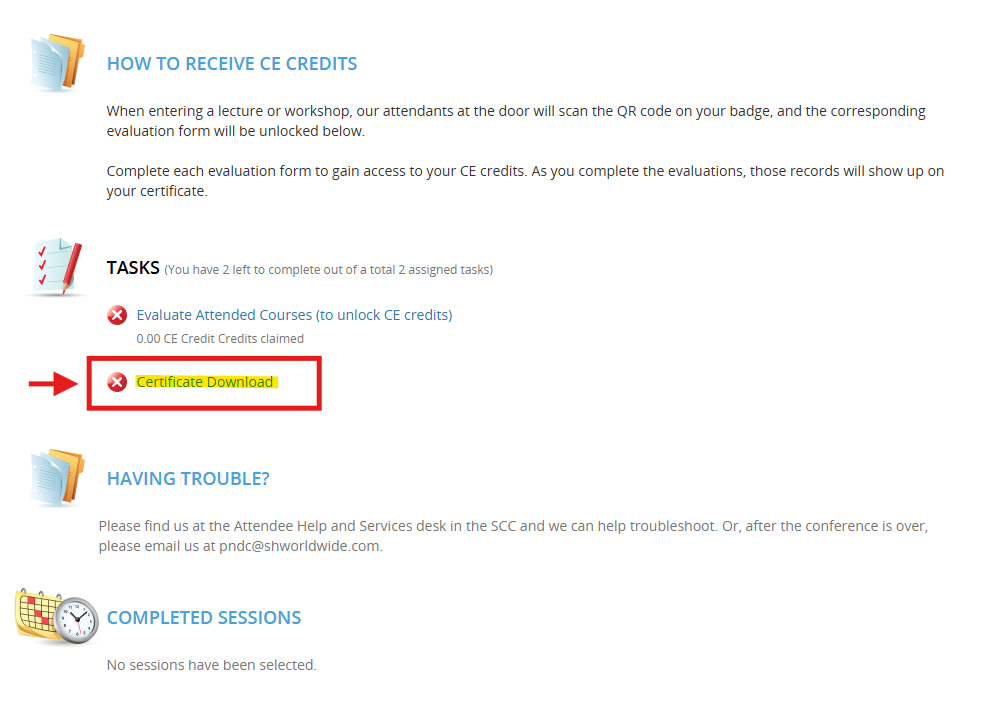
There, under “Tasks,” click “Certificate Download” to access your CE certificate with records of all your evaluated sessions.
Click here to access your CE credits through the process described above. You can also access the CE credits page in the PNDC App.
CLAIM CE